How to Use youraivoice.ai
Learn how to create AI-optimized content that gets discovered by Large Language Models like ChatGPT, Claude, and Gemini
Complete Workflow Overview
Four simple steps to optimize your content for AI discovery
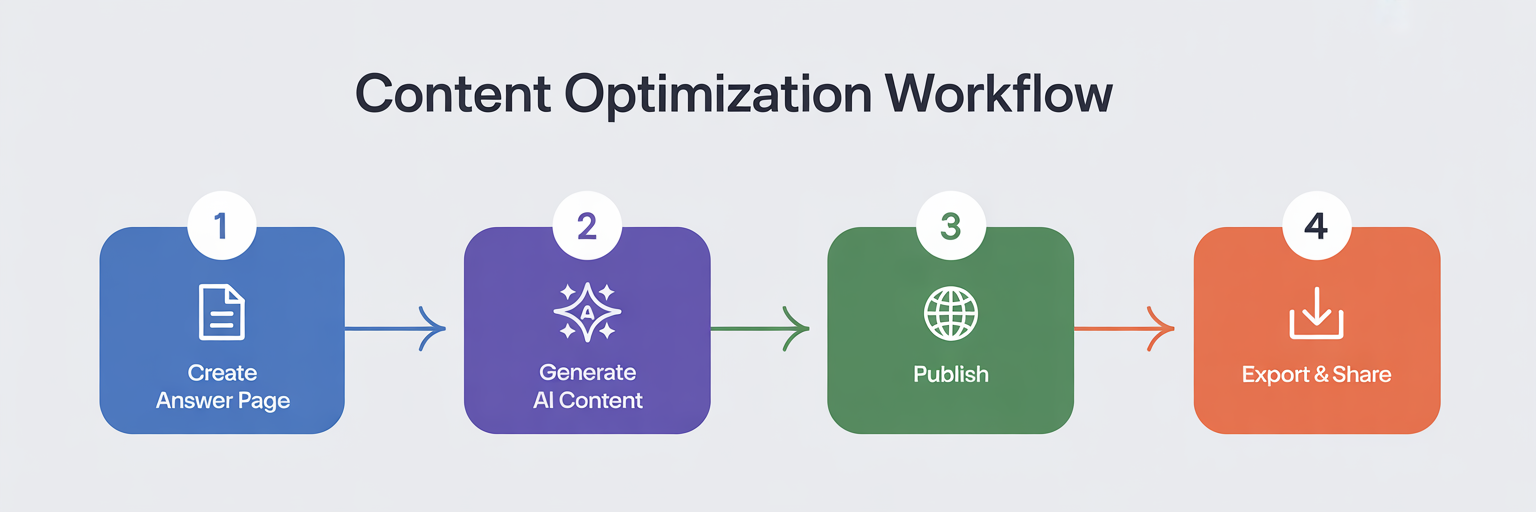
Create Your Answer Page
Define What You Want to Optimize
An Answer Page can be a product, service, software, or any offering that you want AI assistants to discover and recommend
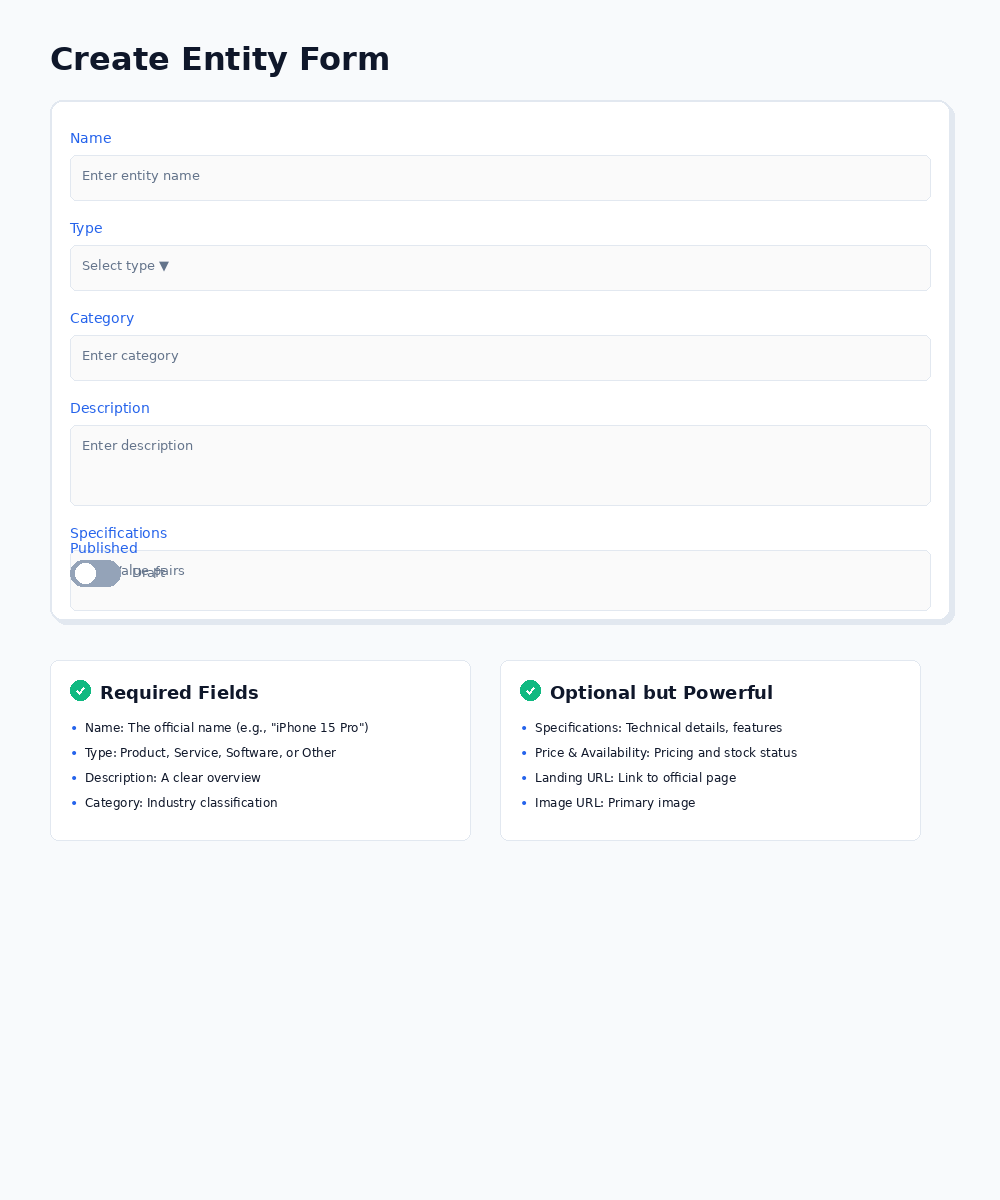
Required Fields
- Name: The official name (e.g., "iPhone 15 Pro")
- Type: Product, Service, Software, or Other
- Description: A clear, concise overview
- Category: Industry/domain classification
Optional but Powerful
- Specifications: Technical details, features, specs
- Price & Availability: Current pricing and stock status
- Landing URL: Link to your official page
- Image URL: Primary product/service image
Publishing Your Answer Page
At the bottom of the form, you'll find a toggle switch labeled "Publish entity (makes it visible in public data endpoint)". By default, this is OFF (Draft mode). When you toggle it ON:
- ✓ Your page becomes visible in the public JSON-LD data endpoint at
youraivoice.ai/data/[slug].json - ✓ It becomes discoverable by AI assistants like ChatGPT, Claude, and Gemini
- ✓ Search engines can index your content
- ✓ Your Answer Page is ready to be cited and recommended
You can publish immediately or save as Draft and publish later after reviewing your content.
Pro Tip
The more specific and accurate your information, the better the AI-generated content will be. Include official specs, pricing, and unique features for best results.
Generate AI-Optimized Content
Let AI Create Perfect Content Blocks
Our AI analyzes your entity and generates structured, LLM-optimized content automatically
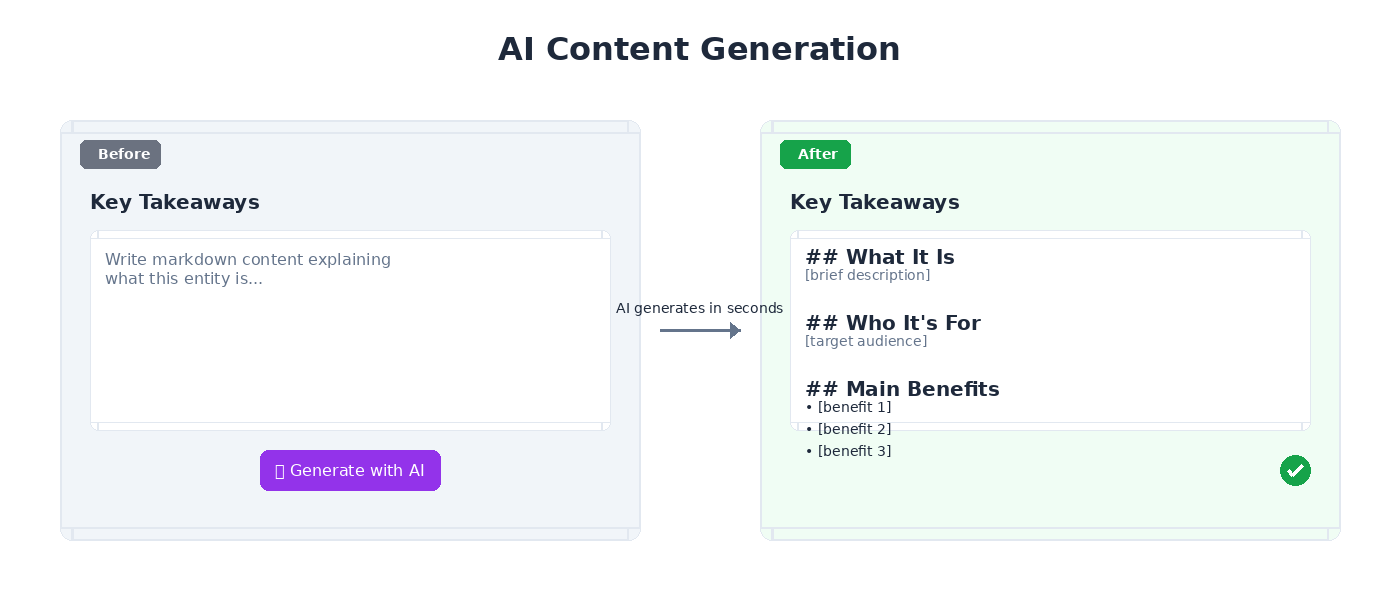
Available Content Blocks:
📋 Key Takeaways
What it is, who it's for, and main benefits. Perfect for quick understanding by LLMs.
⚡ Specs & Features
Detailed specifications, technical features, and capabilities formatted for AI consumption.
How It Works
Simply click "Generate with AI" and our system creates structured, markdown-formatted content optimized for LLM understanding. You can edit and refine the content as needed.
Publish Your Answer Page
Control Your Content Visibility
Use the publish toggle on the Answer Page form to control when your content becomes visible to AI assistants
DraftToggle OFF (Default)
- • Only visible to you in your dashboard
- • No public JSON-LD endpoint available
- • Not discoverable by AI assistants
- • Perfect for work-in-progress content
- • You can continue editing without publishing
PublishedToggle ON
- Public JSON-LD endpoint at
/data/[slug].json - Discoverable by AI assistants (ChatGPT, Claude, Gemini)
- Indexed by search engines for better visibility
- Ready to be cited and recommended to users
Publishing Best Practices
The publish toggle is located at the bottom of the Answer Page creation form. Only publish when your content is complete with:
- ✓ Accurate information and specifications
- ✓ AI-generated content blocks filled in
- ✓ All required fields completed
You can always toggle it OFF later to unpublish if you need to make updates.
Export & Share Your Content
Multiple Export Options
Get your AI-optimized content in various formats for your website, blog, or CMS
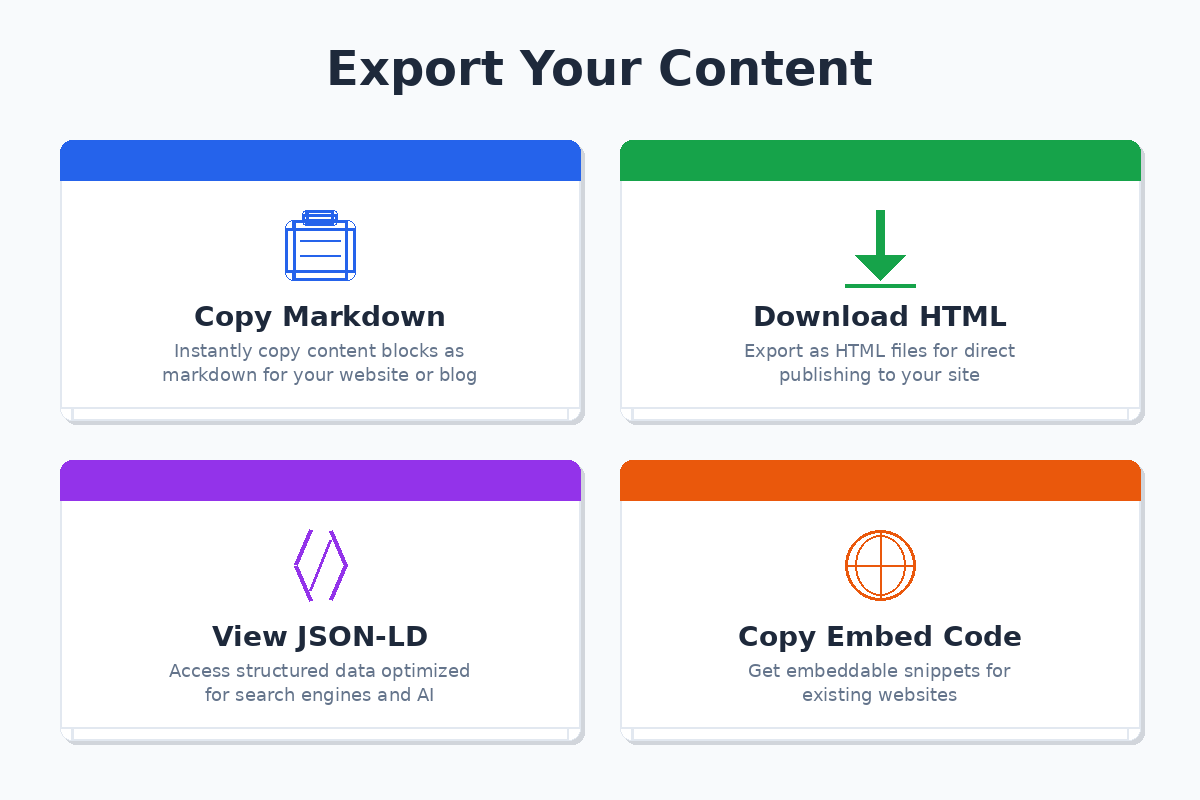
Copy Markdown
Download HTML
View JSON-LD
Copy Embed Code
Best Practices for Maximum LLM Visibility
✅ Do This
- Use official names and accurate specifications
- Include evidence links to authoritative sources
- Keep content updated with latest information
- Add comprehensive FAQs addressing real questions
- Publish content on your website for indexing
❌ Avoid This
- ×Using vague or marketing-heavy descriptions
- ×Leaving specifications incomplete or inaccurate
- ×Skipping evidence links and source citations
- ×Creating duplicate entities with similar names
- ×Keeping content locked away from public access
Track Your Performance with Analytics
Monitor Your AI Visibility Impact
Access comprehensive analytics to measure how your Answer Pages are performing
📈 Overview Dashboard
- • Total analytics events tracked
- • Number of published Answer Pages
- • Generation usage and limits
- • Event type distribution (pie chart)
- • 30-day activity trend (line chart)
🏆 Top Performing Entities
- • Most viewed Answer Pages
- • Export counts by entity
- • AI generations used per entity
- • Schema and FAQ generation stats
- • Sortable performance metrics
How to Access Analytics
Click on "Analytics" in the main navigation menu to view your comprehensive dashboard. Filter by date range to see trends over time. All analytics are specific to your account and your Answer Pages only.
Key Metrics Tracked:
👁️
Entity Views
📥
Exports
⚡
AI Generations
💰
Usage Costs
Collaborate with Team Settings
Manage Team Members and Seats
Invite team members to collaborate on your Answer Pages based on your plan's seat limit
How Team Seats Work:
🎯 Starter Plan
1 Seat
Perfect for individual users
⚡ Professional Plan
3 Seats
Great for small teams
🚀 Business Plan
10 Seats
Ideal for growing teams
Setting Up Your Team:
- 1Navigate to Settings: Click on "Settings" in the main navigation menu to access Team Settings
- 2Invite Team Members: Enter the email address of the person you want to invite and select their role (Admin, Member, or Viewer)
- 3Send Invitation: Click "Send Invite" to send an email invitation. The invited user will receive a link to accept and join your team
- 4Manage Team: View all team members, their roles, and remove members if needed. Track pending invitations in the dashboard
Team Roles Explained
Owner: Full control over the team, billing, and all Answer Pages (automatically assigned to account holder)
Admin: Can invite members, create and edit Answer Pages, and manage team settings
Member: Can create and edit Answer Pages but cannot manage team members
Viewer: Read-only access to view Answer Pages and analytics
Seat Limits
Your plan's seat limit determines how many team members you can have. If you reach your limit, you'll need to upgrade your plan or remove existing members before inviting new ones. The system will prevent invitations that exceed your seat limit.
How LLMs Discover Your Content
Understanding the technology behind AI-powered recommendations
When someone asks ChatGPT, Claude, or other LLMs about products, services, or topics related to your entity, here's what happens:
- 1Search & Retrieval: The LLM searches the web for relevant, authoritative information
- 2Content Analysis: It analyzes structured content to understand specifications, features, and benefits
- 3Citation & Recommendation: Well-structured content with authoritative sources gets cited and recommended
💡 The Key Advantage
youraivoice.ai formats your content in the exact structure that LLMs prefer: clear, factual, well-cited, and easy to parse. This dramatically increases the likelihood that your products and services get recommended by AI assistants like ChatGPT, Claude, and Perplexity.